

DAI for highways
Automatic Incident Detection with operational context
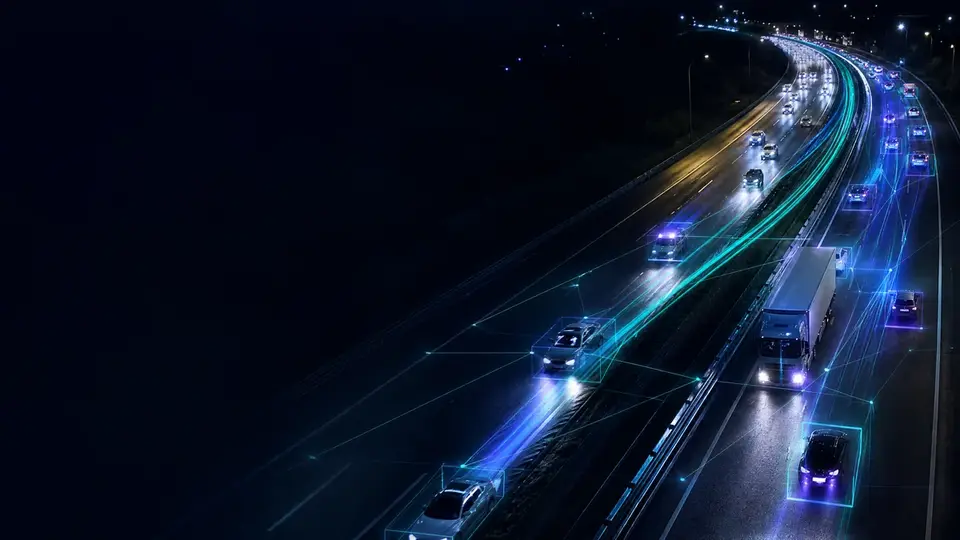
DAI is the Omnivias Automatic Incident Detection system (known internationally as AID). It monitors cameras continuously, identifies stopped vehicles, wrong-way driving, pedestrians, animals, fire and smoke, queues and lane obstruction, and delivers alerts with image, location, priority and history to the Traffic Operations Center. Operations no longer depend on someone watching the right monitor at the right moment.
| Vehicles | 96 |
|---|---|
| Trucks | 41% |
| V85 speed | 88 km/h |
| Density | 2 veh/km/lane |
Events DAI detects
Models and rules are configured according to the objective, camera position, environment and operational process.
| Category | Events | Why it matters |
|---|---|---|
| Vehicle in abnormal condition | Vehicle stopped in a lane, on the shoulder or in the right-of-way; wrong-way vehicle. | The conditions of highest immediate risk, which benefit most from early detection. |
| People and animals | Pedestrians in the lane and on the shoulder; cyclists in the lane; animals on the road. | A direct risk to life on high-speed roads, including at night. |
| Fire and smoke | Fire and smoke on the road and in the right-of-way. | Smoke reduces visibility, and vegetation fires spread fast in the dry season. |
| Obstruction | Objects, debris and lane blockages. | They cause evasive maneuvers and secondary incidents. |
| Flow condition | Congestion and queues at toll plazas. | Lets operations trigger signage and inform drivers before the queue grows. |
| Work on the roadway | Work zone or closure marked with cones. | The alert respects the marked area and does not trigger for the work itself. |
| Prohibited behavior | Prohibited passing by vehicle type. | Monitors sections with restrictions for trucks or other classes. |
| Custom events | Rules by camera, scene and process. | Covers conditions specific to the road section. |
Omnivias DAI meets the minimum intelligent video analytics functions of the CFTV-IVA specification issued by ARTESP, the São Paulo state transport regulator: stopped vehicle, lane obstruction, pedestrians and animals, fire and smoke, and wrong-way vehicles. What ARTESP requires.
Why detection time matters
An incident’s duration starts when the event happens and ends only when the road returns to normal. The opening phase, between the event and the moment operations notice it, gets the least attention, because nobody measures it.
That is where secondary-incident risk builds up. Shortening the interval between event and alert shortens the whole chain that follows: dispatch, signage, response and clearance.
Detection happens in seconds. The time until the alert reaches the operator follows the rule agreed with operations, which separates a real stop from a momentary maneuver. Read the full article.
An alert with context
An alert without context creates a second task: figuring out what happened. Every DAI event arrives qualified.
- Event image: the visual record of what triggered the detection.
- Camera and position: the site and its location on the road section.
- Time: the baseline for measuring response.
- Priority and type: the order in which to handle it.
- Status and owner: which stage it is in and who is handling it.
- Notes and history: what was done, by whom and when.
A traceable operational workflow
Detection
The model identifies the event according to that camera’s rules.
Qualification
The event is assigned a type and priority, with image, camera, position and time.
Distribution
The alert reaches the operator in the Omnivias interface or in the control center system.
Response
The operator takes ownership, classifies the event, adds notes and updates the status.
Closure
The incident is recorded with the image and the timeline.
False positives and calibration
Every detection system operates between two opposite errors. Rules that are too sensitive produce too many alerts and teach the team to ignore them; rules that are too strict miss the event that mattered.
A vehicle stopped on an urban shoulder means something different from the same event on a mountain stretch, and a long late-afternoon shadow can look like an event. That is why configuration is done per camera and reviewed against the real history of triggers. In projects in production, the rate of unfounded alerts runs below 10% after site calibration. How we calibrate.
DAI within your ecosystem
- REST APIs: event and history queries from your own systems.
- Webhooks: real-time notifications to whatever destination operations define.
- Digifort and Kria: integration with platforms already installed.
- On-demand connectors: integration with the incident management system the control center already uses.
Adopting DAI does not require replacing the control center system.
Start with a pilot on your own cameras
First we assess the cameras the highway already has; then a proof of concept using footage from the road section itself shows the measured result. Depending on the size of the project, the assessment and the proof of concept can be free of charge, and the proof of concept starts running within 10 days of signing the agreement.
Assessment
Resolution, position, coverage, lighting and network of the existing cameras, against what the operation wants to measure and detect.
Proof of concept
SAT and DAI running on footage from the road section itself, measured against the agreed success criteria.
Production
On-premises, cloud or hybrid architecture, control center integration, rules, alerts and reports.
Continuous calibration
Rules and models tuned camera by camera using the real alert history.
DAI frequently asked questions
What is DAI?
DAI is the Omnivias Automatic Incident Detection system (known internationally as AID). It uses computer vision to identify highway events and generate alerts with operational context: image, camera, position, time, priority and history.
Which incidents does DAI detect?
Vehicles stopped in a lane, on the shoulder or in the right-of-way; wrong-way vehicles; pedestrians in the lane and on the shoulder and cyclists in the lane; animals on the road; fire and smoke; congestion and queues at toll plazas; cone-marked work zones; prohibited passing by vehicle type; objects, debris and lane obstruction; and custom rules per camera.
Does DAI meet the ARTESP CFTV-IVA technical specification?
Yes. DAI meets the minimum intelligent video analytics functions of the CFTV-IVA specification: stopped vehicle, lane obstruction, pedestrians and animals, fire and smoke, and wrong-way vehicles.
Does DAI detect animals and smoke?
Yes. An animal on the road and fire or smoke on the highway and in the right-of-way are DAI events, with the same qualified alert as the others: image, camera, position and priority.
How quickly does DAI detect an event?
Detection happens in seconds. The time until the alert reaches the operator follows the rule agreed with operations: a vehicle is only treated as stopped after the interval the project sets.
What is the false positive rate?
In projects in production, the rate of unfounded alerts runs below 10% after site calibration.
How is an event classified as true or false?
The operator classifies the alert during the response. The platform stores that classification and produces the false alarm report by camera and by event type, and this history guides the calibration of each site.
Does DAI replace the control center operator?
No. DAI directs the operator’s attention to the camera that needs to be checked, with the event image already attached. Decisions and response remain with the team.
Do we need to replace our control center system?
No. DAI can run through the Omnivias interface or send events to the existing platform via APIs, webhooks and connectors such as Digifort and Kria.
Test DAI with footage from your highway
Tell us which events concern operations most and how the control center receives alerts today.
- Phone and WhatsApp
- +55 11 3636-8989
- Address
- São Paulo, SP, Brasil